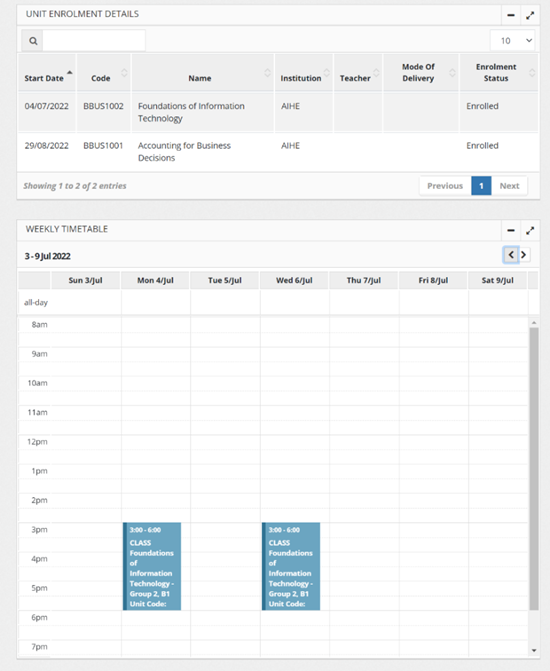
To view your timetable, please follow the steps below.
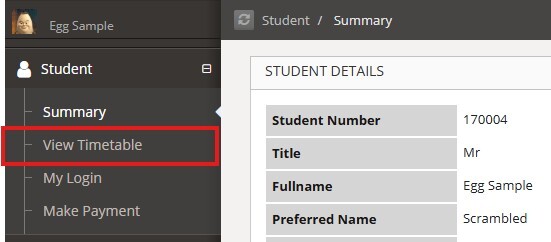
Step 1: Once you have logged into Paradigm, click on the plus on the left-hand side navigation panel to expand the drop-down menu.
Step 2: Click on "View Timetable"
Step 3: View the weekly timetable for a calendar of your classes. You can also view the "Classes" section for more details for your class including the Session Teacher and Room for your class. You can see whether your class is on campus or online.